AI Voiceover Tools for Real People: ElevenLabs and VocalLab, Bench-Tested (No Studio Required)
We put two AI voiceover tools through four ordinary jobs—training videos, podcast intros, website explainers, and manuscript reading—to see which machine belongs on your bench.

If you need a voiceover for a training video, podcast intro, website explainer, or manuscript sample, you do not necessarily need a microphone, a quiet room, and three hours of editing.
You need a tool that can turn a script into usable speech without making you feel like you have wandered into an aircraft control room.
This week, we put two AI voiceover tools on the bench: ElevenLabs, the easiest practical starting point, and VocalLab, the worthwhile underdog with an AppSumo lifetime deal.
The Short Version: Which Machine Belongs on Your Bench?
Neither is a magic button. Both can save you from recording the same sentence 19 times while your dog objects in the background.
- • Best first stop: ElevenLabs, especially if you want to test the waters for free.
- • Best value for regular voice production: VocalLab’s AppSumo lifetime deal, if you expect to create audio month after month.
- • Best for polished, natural delivery with the least fuss: ElevenLabs.
- • Best for larger monthly volumes, captions, audiobooks, and a one-time purchase: VocalLab.
- • Biggest warning: ElevenLabs credits can disappear faster than expected. VocalLab has more setup friction and occasional server connection complaints.
Our Bench Test: Four Ordinary Jobs
We looked at more than how “human” the voices sounded. We also checked the practical details: how quickly we could get started, how much correcting was needed, how easy it was to download the result, and where the software made us stop and scratch our heads.
- 1. Narrating a short training video
- 2. Recording a podcast introduction
- 3. Voicing a website explainer
- 4. Reading a sample from an author’s manuscript
ElevenLabs: The Smooth-Running Top-Shelf Press
What It Is
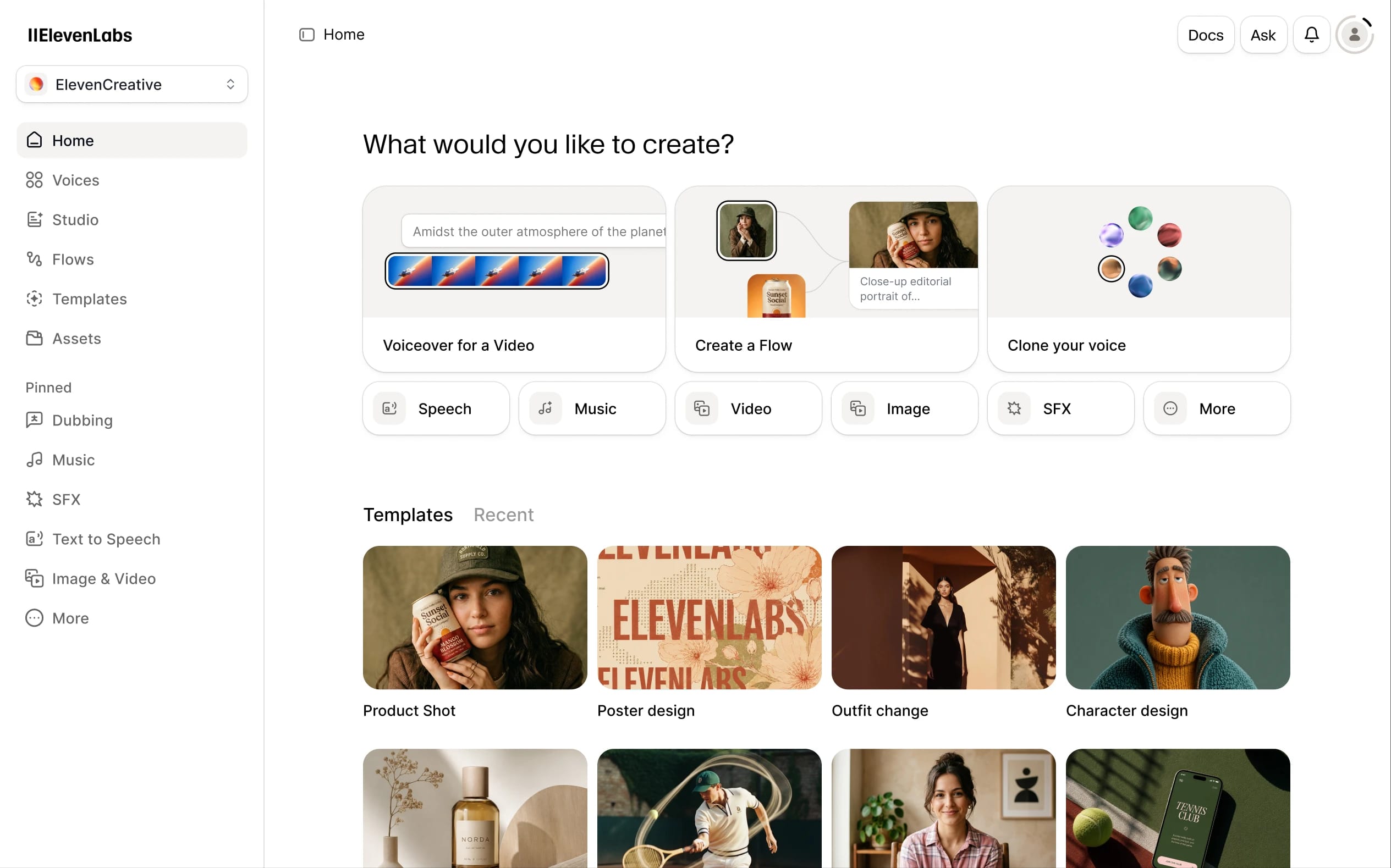
ElevenLabs turns written scripts into remarkably natural speech. You choose a voice, paste in your text, adjust the delivery when needed, and generate an audio file.
It also offers voice cloning, voice design, speech-to-speech tools, dubbing, and a large voice library. You can use it from the browser without knowing how to code.
What It Did Well
Training video: ElevenLabs handled instructional text cleanly. The voice stayed steady across headings, numbered steps, and longer explanations. It did not sound like it was reading a grocery list from behind a locked door.
Podcast intro: This was its strongest everyday use. The voices had convincing pauses, emphasis, and warmth. A short intro sounded close to something you could publish after a quick listen.
Website explainer: ElevenLabs was the easiest tool for producing a professional-sounding first draft. You can try different voices quickly, which is useful when the first choice sounds too serious, too cheerful, or suspiciously like a department-store announcement.
Manuscript sample: Longer narration held together well. The delivery felt more natural than many basic text-to-speech tools, especially when the manuscript was broken into sensible sections.
Strengths
- ✔ Natural pauses, realistic breaths, and convincing vocal inflections
- ✔ Strong tone and pacing consistency across longer scripts
- ✔ Extensive library of high-quality voices and styles
- ✔ Straightforward browser-based workflow with zero technical barrier
- ✔ Free tier available for testing (includes up to 3 instant cloned voices)
Drawbacks
- ⚠ The credit meter drains quickly during multi-take retries (10,000 credits ≈ 10 minutes of speech)
- ⚠ Free tier is strictly non-commercial; commercial rights require paid tiers starting at $5–$22/month
- ⚠ Lacks an obvious workflow for patching a single word without re-generating a full passage
VocalLab: The Sturdy Underdog with a Bigger Parts Bin
What It Is
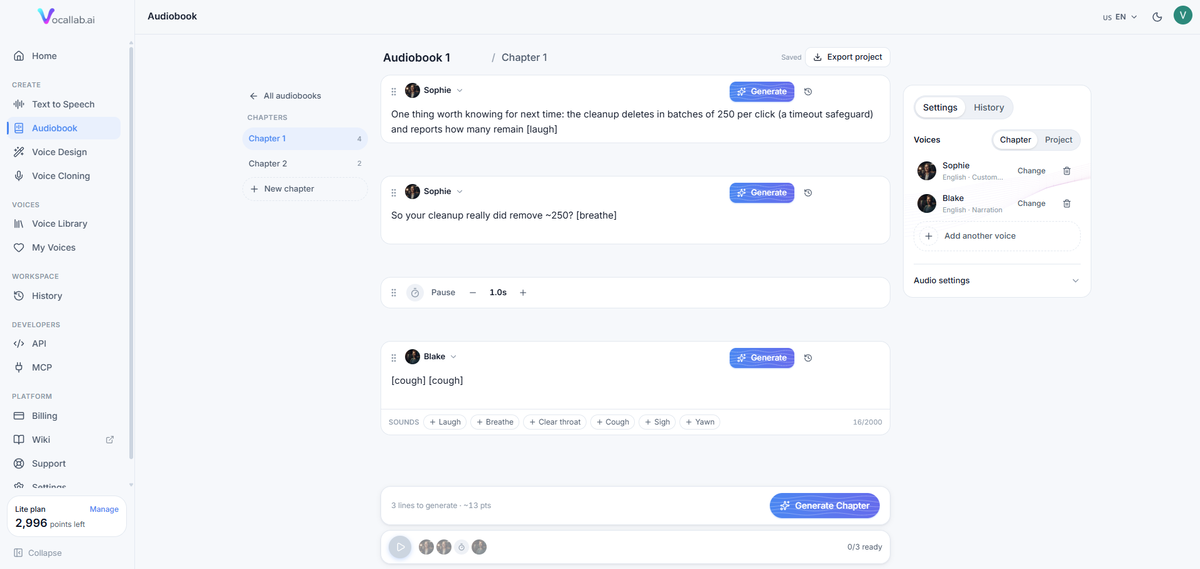
VocalLab is a browser-based voiceover studio with text-to-speech, voice cloning, voice design, captions, and an audiobook workspace.
It is especially interesting for creators who expect to generate a lot of audio. Instead of charging a regular monthly subscription, its AppSumo offer provides lifetime access to a tier with a monthly allowance.
The phrase “lifetime deal” needs a little grease on it: it means access for as long as VocalLab operates, not a legally guaranteed service for your personal lifetime.
What It Did Well
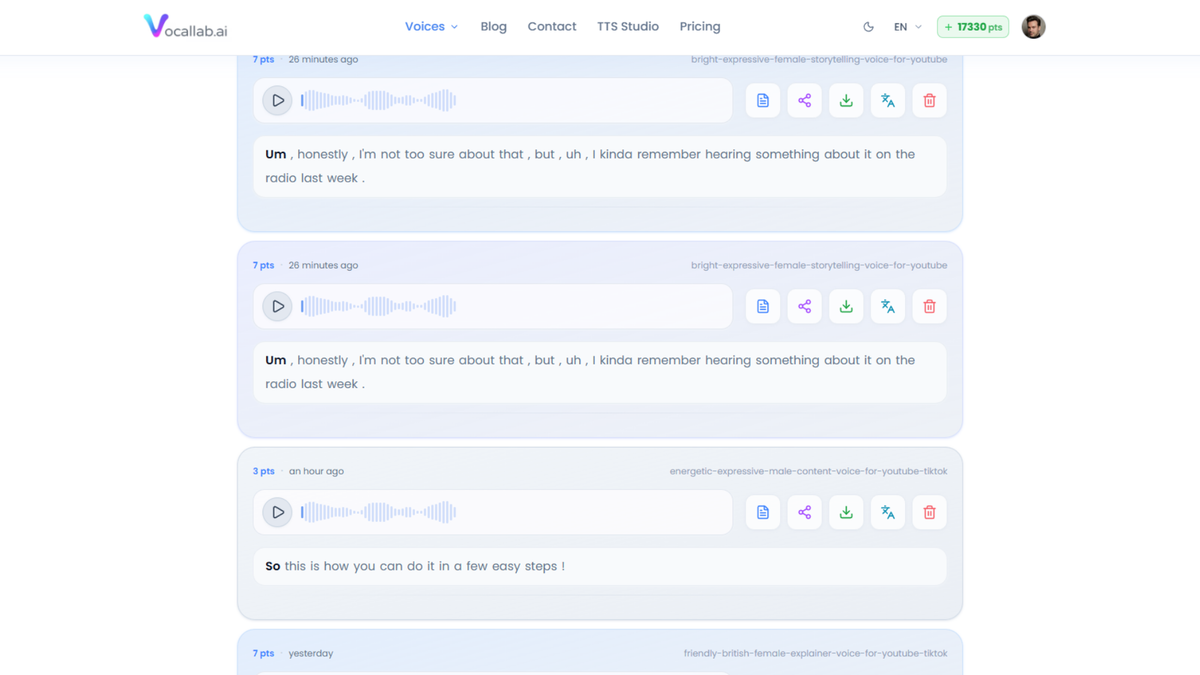
Training video: VocalLab produced clear, usable narration and made it easy to export audio and captions. That is helpful if you are making instructional clips for YouTube, social media, or an employee knowledge base.
Podcast intro: The voice quality was strong, with useful control over pacing, emotions, breaths, and delivery. VocalLab gives you more switches to adjust than ElevenLabs, although that also means more chances to wonder which switch you just touched.
Website explainer: Once the setup was complete, VocalLab handled short business scripts well. The voices sounded polished, and the commercial-use allowance on the AppSumo tiers is useful for client work and monetized content.
Manuscript sample: This is where VocalLab has a particularly useful shelf. Its audiobook workspace lets you break longer material into chapters and manage voices across a larger project. If you prepare the manuscript carefully—clear speaker labels, sensible sections, and corrected pronunciations—it can handle ambitious long-form work.
Strengths
- ✔ Strong voice quality and convincing custom voice clones
- ✔ Voice design controls for dialing in specific character voices
- ✔ Direct MP3 audio and SRT synchronized caption exports
- ✔ Dedicated audiobook workspace for long-form multi-chapter books
- ✔ Commercial use included directly on all AppSumo deal tiers
- ✔ Generous monthly allowances that vastly exceed ElevenLabs’ free tier
- ✔ One-time lifetime pricing eliminates perpetual subscription bills
Drawbacks
- ⚠ Steeper initial learning curve with a less intuitive points and generation layout
- ⚠ Occasional reports of server connection hiccups during peak hours
- ⚠ Unused monthly minutes do not roll over to the next billing cycle
Real Costs (AppSumo Lifetime Tiers Checked)
| VocalLab Tier | One-Time Price | Monthly Allowance | Voice Clones |
|---|---|---|---|
| Tier 1 | About $49 | 50 minutes / month | 1 clone |
| Tier 2 | About $139 | 150 minutes / month | 10 clones |
| Tier 3 | About $299 | 400 minutes / month | 100 clones |
| Tier 4 | About $699 | 1,000 minutes / month | 200 clones |
| Tier 5 | About $999 | 1,500 minutes / month | 300 clones |
The listing also showed a larger Tier 6 at about $1,500 for 2,250 minutes, but deal pricing and availability can move. Check the current VocalLab AppSumo offer before paying.
Unused monthly minutes do not carry over. Generating the same text again uses more points, so test short sections before committing to a long production.
Side-by-Side Inspection
| Job / Scenario | Better First Choice | Why |
|---|---|---|
| Training video | ElevenLabs | Fast setup and steady, clear instructional narration |
| Podcast intro | ElevenLabs | Excellent natural delivery, warmth, and inflection with little adjustment |
| Website explainer | ElevenLabs | Easiest route to a polished, professional first draft |
| Manuscript sample & audiobooks | VocalLab | Audiobook chapter tools and larger voice-production allowances |
| High monthly production volume | VocalLab | Lifetime tiers offer significantly more audio without monthly bills |
| Trying AI voiceover for free | ElevenLabs | Free tier makes low-risk experimentation simple |
| Commercial client work | Either (Paid ElevenLabs or VocalLab) | Confirm licensing, monthly volume, and voice permissions first |
These tools belong in the wider shelf of AI tools for content creators and AI productivity tools because they remove a very specific bottleneck: recording and re-recording spoken audio.
They do not replace editorial judgment. You still need to check names, numbers, emphasis, tone, and whether the voice sounds appropriate for your audience.
Before You Clone a Voice
Only clone your own voice or a voice you have clear permission to use.
Do not clone a customer, employee, public figure, or family member because you happen to have an old voicemail. A convincing voice can create real confusion, and “the software let me do it” is not a useful legal defense.
For business work, also confirm:
- • Whether your plan includes commercial rights
- • Whether your client permits AI-generated audio
- • Whether the voice can be used in advertisements or paid courses
- • Whether your source recording contains someone else’s voice or copyrighted material
- • Whether you need to disclose that the narration was AI-generated
Links from the Workbench
- • Read our [ElevenLabs Bench Report](https://clankercart.com/reviews/elevenlabs)
- • Try [ElevenLabs Official Workbench](https://try.elevenlabs.io/3uj0ckq4bvhn)
- • Read our [VocalLab Bench Report](https://clankercart.com/reviews/vocallab)
- • Check the [VocalLab AppSumo Lifetime Deal](https://appsumo.8odi.net/clankercart-vocallab)
- • Review [Clanker Cart’s Disclosure Policy](https://clankercart.com/disclosure)
Plain-English Verdict
Start with ElevenLabs’ free tier if you need a few voiceovers, want the shortest learning curve, or are still deciding whether AI narration belongs in your workflow. Upgrade before using the audio commercially.
Choose VocalLab’s lifetime deal if you expect to create voiceovers regularly, need captions or audiobook tools, want several cloned voices, or would rather make one larger payment than add another monthly subscription.
Before paying, test your own script. Check pronunciation, export quality, commercial rights, credit limits, and whether the tool behaves properly on your internet connection. That five-minute inspection can save you from buying a very expensive machine that spends most of its time making mysterious noises.
Written by Penny for Clanker Cart
Editorial Notice: ClankerCart is published independently by Hardball HQ LLC. All tool bench tests reflect firsthand mechanical inspection. Affiliate disclosures apply.