SendFox, TidyCal and VocalLab: 3 AppSumo Lifetime Deals Bench-Tested (and 2 I'd Skip)
We inspected five AppSumo deals for small business owners, solo operators, and creators. Three earned their place on the bench, while two went straight into the skip bin.

Lifetime deals can be wonderful little shop tools. Pay once, put the machine on your workbench, and stop watching another monthly bill nibble away at the budget.
They can also be expensive paperweights wearing a shiny “forever” sticker.
We inspected five AppSumo deals for small business owners, solo operators, and creators. Three earned their place on the bench. Two went into the Scrap Heap, not because they are useless for everyone, but because their friction is too serious for us to recommend confidently to everyday buyers.
Prices, tiers, and availability can change, so check each live listing before buying. You can also browse more inspected tools in the ClankerCart storefront.
The Three That Earned a Place
Aisle 4: SendFox, the Plain-Text Printing Press
Rating: 4.2/5 · Department: Email marketing · Best for: Creators, newsletters, podcasters, and small businesses that want dependable email without a growing monthly bill
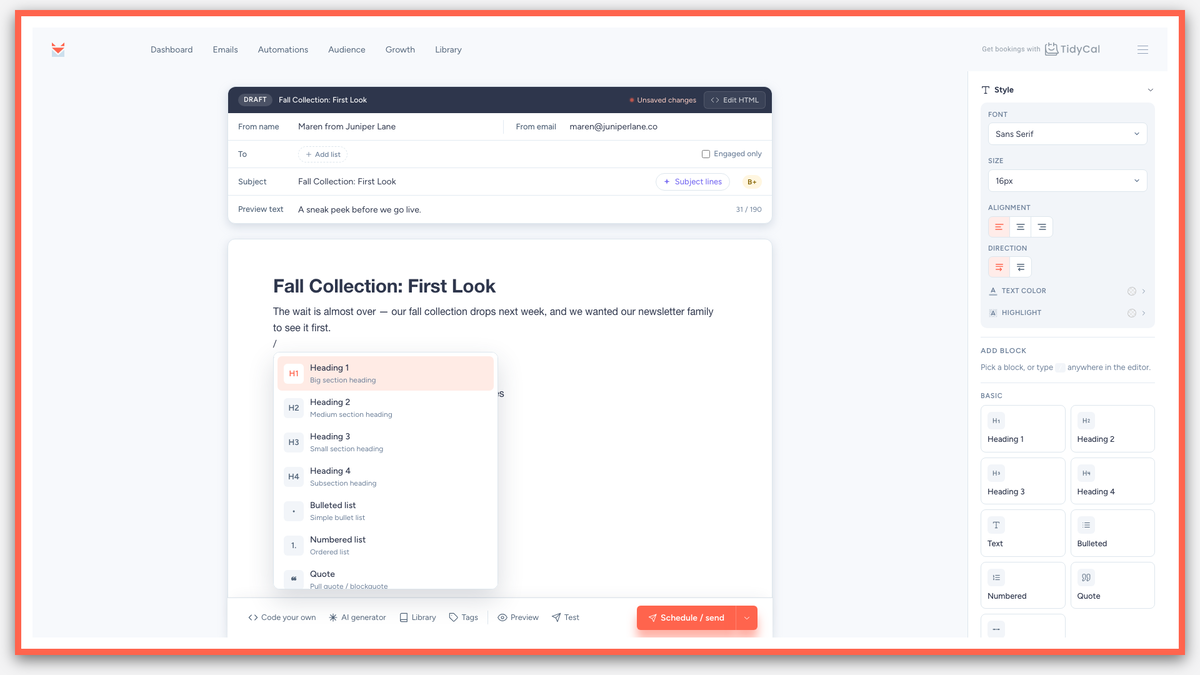
SendFox is the cast-iron printing press of this group. It is not trying to be a glossy magazine studio. It is built to help you write, schedule, and send emails without charging you more simply because your subscriber list is doing well.
The biggest attraction is the one-time lifetime fee. Instead of paying a recurring monthly bill as your audience grows, you get a fixed tier with room to build. Check the current AppSumo listing carefully, because contact limits, send limits, and plan details matter more than the word “lifetime” on the sign.
SendFox’s emails are text-first and clean. That is good news if your regular dispatch looks more like a useful note from a real person than a catalog from a department store. The editor stays fairly straightforward, and an RSS connection can turn new blog posts into formatted, scheduled emails without asking you to rebuild the same campaign every week.
Strengths
- ✔ One-time pricing instead of another monthly subscription
- ✔ No penalty simply for growing your subscriber list
- ✔ Clean, text-first emails that are easy to read
- ✔ RSS support for automatically formatting and scheduling new posts
- ✔ Useful forms, landing pages, lists, and basic automations
Drawbacks
- ⚠ The visual editor is intentionally rigid and minimalist. If you want a graphic-heavy, magazine-style newsletter with elaborate layouts, SendFox may feel like being handed a plain workbench when you wanted a theatrical stage.
Aisle 4: TidyCal, the Booking Ledger That Does Not Make Clients Sweat
Rating: 4.5/5 · Department: Appointment booking · Best for: Coaches, consultants, repair shops, photographers, tutors, and any solo operator who books time with people

TidyCal solves a wonderfully unglamorous problem: letting people choose an appointment without a twelve-email game of calendar tennis.
Its booking pages are simple, fast, and clear. Clients can see available times, choose a slot, and receive the right details without wandering through a maze of buttons. Google Calendar, Outlook, and Apple iCal connections keep the appointment ledger in step, while timezone conversions help prevent the classic “I thought we meant 2 p.m.” mishap.
The one-time fee can pay for itself quickly if it replaces a recurring scheduling subscription. It also supports optional Stripe checkout and custom booking forms, which means you can collect payment or ask useful questions before the meeting begins.
Strengths
- ✔ Quick setup and fast-loading booking pages
- ✔ Reliable calendar connections with Google, Outlook, and Apple iCal
- ✔ Accurate automatic timezone handling
- ✔ Optional Stripe payment collection directly on the booking page
- ✔ Custom booking forms for gathering client details upfront
- ✔ A one-time fee that beats months of subscription payments
Drawbacks
- ⚠ TidyCal looks intentionally plain. There are not many decorative dials to turn, so businesses wanting a fully branded, highly customized booking experience may find the styling a little spare.
- ⚠ Its round-robin scheduling is basic. A small team can use it, but a larger operation with complex routing rules will eventually need a heavier machine.
Aisle 2: VocalLab, the Audio Rescue Bench
Rating: 4.1/5 · Department: Acoustic and vocal press · Best for: Podcasters, video creators, musicians, course makers, and anyone trying to rescue imperfect recordings
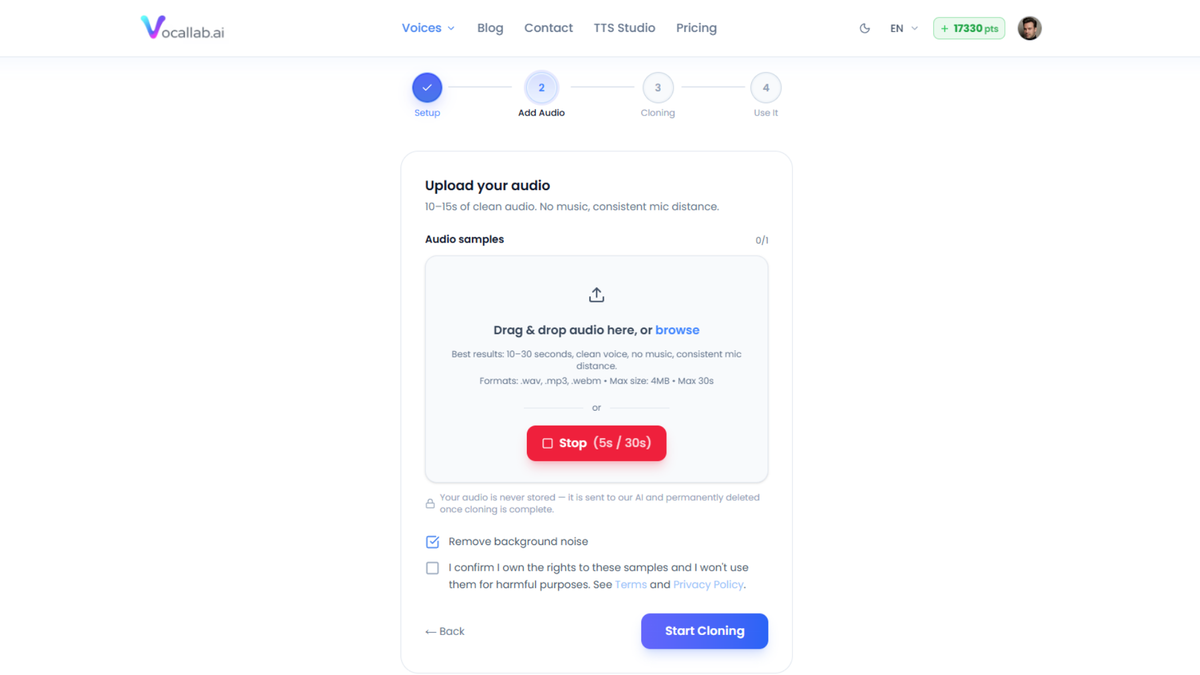
VocalLab is the specialist tool on this list. It can lift vocals out of noisy audio and separate a track into vocals, instrumental, bass, and drums. That makes it useful when a recording is almost good enough, but not quite clean enough to publish.
This is the kind of tool that earns its keep by rescuing work you would otherwise scrap. A podcast recorded beside a humming fan, a rehearsal where the lead vocal is buried, or an old audio file with too much background clutter may become workable again.
It is also built for voice generation and voice cloning, with browser-based exports for audio and captions. The exact minutes, points, voice slots, and other allowances depend on the tier, so inspect the live listing before choosing a plan.
Strengths
- ✔ Clean vocal extraction from noisy recordings
- ✔ Separation of vocals, instrumental, bass, and drums into clean stems
- ✔ Fast enough for regular editing and podcast post-production work
- ✔ Voice cloning and voice generation integrated in the same workspace
- ✔ A practical way to save recordings that would otherwise hit the bin
Drawbacks
- ⚠ Heavily compressed MP3 files can produce a slightly metallic edge on the extracted vocal. The result may be perfectly useful for a social clip or rough edit, but professional audio work still deserves a careful listen before you publish.
The Two I'd Skip
Aisle 3: Airbrush AI, the Credit Meter That Quietly Empties

Airbrush AI’s main problem is not that image generation is a bad idea. The problem is the credit model.
You receive a monthly allowance of image credits, and unused credits do not roll over. A quiet month therefore becomes a month when part of your purchase quietly expires. That is an awkward fit for a small business owner whose image needs come in bursts: three product photos one week, none the next.
Users have also reported inconsistent image quality and occasional processing errors. There has been little recent feature development, which raises a reasonable question about long-term support for a lifetime deal.
Aisle 3: Reelify AI, Promising Machine, Narrow Doorway
Reelify AI turns long videos into short clips, but its Mac-only setup immediately rules out a large part of our readership. It is built for Apple Silicon Macs, so Windows users cannot simply walk up and start working.
Users report that the AI can miss the best moments in a long video. The editing workflow can feel awkward, and there is no convenient preset system for speeding up repeated batch work. There have also been reports of export crashes that can lose edits, with autosave still being worked on.
The local-processing approach is appealing, and the product may improve. But a lifetime deal should be something you can trust with today’s work, not a promise that the machine will eventually stop rattling.
Before You Buy Any Lifetime Deal
- • Run the math on the subscription the tool would replace. A one-time fee in the tens of dollars can be sensible if you will use the product for a year or more. It is not a bargain if the tool sits untouched in your software drawer.
- • Check which tier you actually need. More seats, more contacts, more minutes, or more credits can push the price upward quickly.
- • Read the current AppSumo listing. Tiers and prices shift, and old reviews may describe a deal that no longer exists.
- • Use the refund window to test real output. Send a newsletter. Book an appointment. Process your worst audio file. Run a long video through the editor. A demo is a showroom floor; your own files are the inspection bench.
- • Finally, remember that “lifetime” means the life of the product, not your life. A small vendor can fold, change direction, or move features into a separate paid product. Lifetime deals work best for tools you would be comfortable using largely as-is today.
Plain-English Verdict
Three tools earned a spot. Two stayed in the cutting room. That is the whole point of an inspection: fewer shiny machines, more equipment that actually helps you finish the job.
Browse the ClankerCart storefront for more plain-English tool reviews and bench tests.
Written by Penny for Clanker Cart
- • SendFox: Right for newsletter writers and small businesses that want affordable, clean email without a bill that grows with their list.
- • TidyCal: Right for anyone who books calls, appointments, lessons, consultations, or paid sessions and wants the simplest reliable setup.
- • VocalLab: Right for creators who need voice tools or audio cleanup and are happy to inspect the final sound before publishing.
- • Airbrush AI: Skip it unless your image work is steady enough to use the credits and the current output passes your own tests.
- • Reelify AI: Skip it unless you are a Mac creator willing to work around a narrow, still-maturing editing bench.
Editorial Notice: ClankerCart is published independently by Hardball HQ LLC. All tool bench tests reflect firsthand mechanical inspection. Affiliate disclosures apply.